
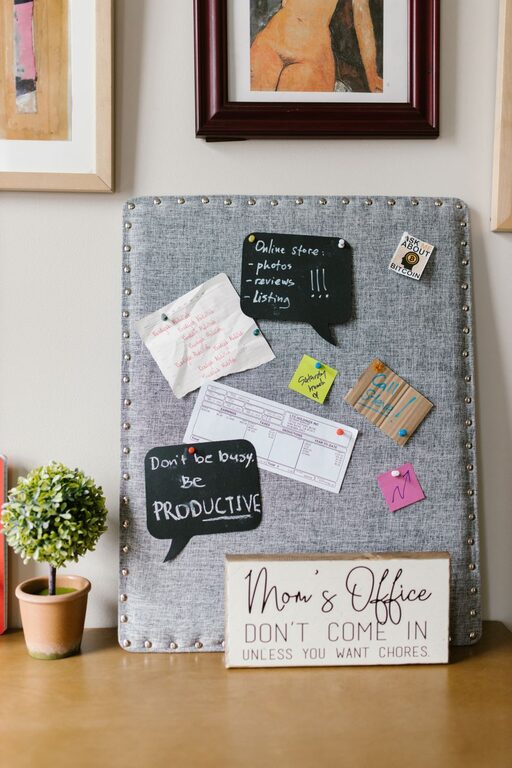
Creating a family command center is a fantastic way to keep your household running smoothly. It acts as a central hub where everyone can find important information, keep track of schedules, and coordinate daily tasks. Whether you have a busy family with kids, teenagers, or multigenerational members, a command center can save time and reduce stress.
In this post, we’ll guide you through the steps to set up a family command center that works for you. From choosing the right location to selecting tools and organizing information, this guide covers everything you need to create a system tailored to your family’s needs.
What Is a Family Command Center?
A family command center is a designated space in your home where key information and supplies related to family management are kept. It usually includes calendars, to-do lists, chore charts, meal plans, and important documents. The goal is to have one convenient spot where everyone can check schedules, plan ahead, and stay informed.
Benefits of Having a Family Command Center
– Improves communication: Everyone knows what’s happening and when.
– Reduces forgetfulness: Important dates and tasks won’t get overlooked.
– Encourages responsibility: Kids can see their chores and responsibilities clearly.
– Saves time: Avoids last-minute scrambling by keeping things organized.
– Creates routine: Helps establish daily habits and family rhythms.
Step 1: Choose the Right Location
Pick a high-traffic area in your home where everyone passes by regularly. Ideal spots include:
– Kitchen wall or pantry door
– Entryway or mudroom
– Near the family room or dining area
Make sure the space has enough room for your materials and is easily accessible to both adults and kids.
Step 2: Gather Your Supplies
Depending on your space and preferences, you can customize your command center with a mix of these items:
– Wall calendar or dry erase board
– Corkboard or magnetic board for notes and reminders
– Clipboards or file holders for papers
– Pen holder with markers, pens, and pencils
– A small shelf or basket for mail and school papers
– Labels and organizers for sorting
– Calendar app or digital screen (optional)
Step 3: Organize Your Family’s Needs
Think about the specific information your family needs to track daily and weekly. Some common categories include:
Calendars and Schedules
– Family calendar with appointments, sports practices, and social events
– Meal planning calendar to plan dinners for the week
– School schedules and extracurricular activities
To-Do and Chore Lists
– Daily or weekly chore chart for each family member
– Grocery and shopping lists
– Important reminders (bill due dates, appointments)
Notes and Messages
– A place for leaving quick notes or reminders
– Emergency contact list and important phone numbers
– Inspirational quotes or family goals
Step 4: Set Up and Arrange Your Command Center
– Hang your calendar at eye level so it’s easy to read.
– Use color-coding or labels to differentiate family members or types of activities.
– Arrange clips, baskets, or folders by category (e.g., school papers, bills).
– Use magnets or push pins to keep notes visible and organized.
– Keep writing tools nearby for quick updates.
Step 5: Involve the Whole Family
A command center works best when everyone uses it consistently. Here are tips to encourage participation:
– Introduce the command center during a family meeting.
– Assign chores and responsibilities using the command center tools.
– Encourage kids to check their schedules and update their to-do lists.
– Make updates a daily or weekly habit, such as checking the calendar after dinner.
Step 6: Maintain and Update Regularly
Regular upkeep will keep your command center effective:
– Remove outdated papers weekly.
– Update calendars as events and appointments change.
– Rotate chore lists and meal plans as needed.
– Adjust the setup if you find something isn’t working.
Bonus Tips for a Successful Family Command Center
– Use magnets or Velcro: This makes repositioning items simple.
– Incorporate technology: For families with a busy digital life, syncing a digital calendar with the command center can add convenience.
– Personalize it: Decorate with family photos or colorful labels to make it engaging.
– Keep it simple: Avoid overcrowding to maintain clarity.
– Add a charging station: A spot for phones or tablets can be helpful.
Final Thoughts
A family command center can revolutionize how your household communicates and stays organized. With just a little effort, you can create a system that fits your family’s unique rhythm and helps everyone stay on track. Start small, customize over time, and watch how your command center can bring order and ease to your busy life.
Give it a try—you might wonder how you ever lived without one!
About the Author